

Dynamic product animations
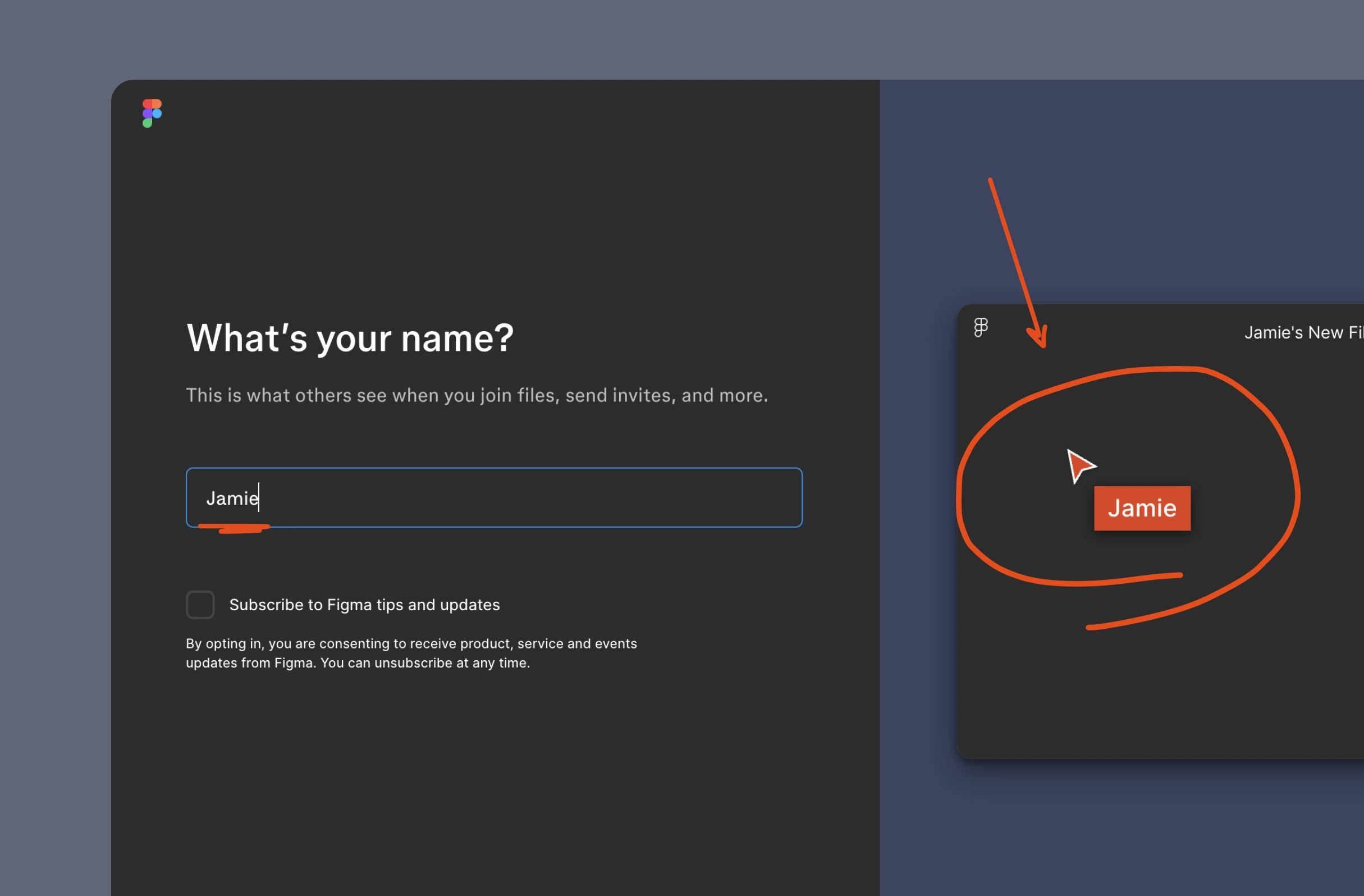
While creating an account on Figma, your name is used dynamically on the animated cursor.
Happier users

Design, align, and build
Figma reads user intent, from renaming copied FigJam boards to inverting pen colour over dark backgrounds. Examples include reassuring update and publishing messages.
Key takeaways from 18 UX Bites
Turns an empty page named "-----" into a separator line, matching an existing habit
Forced update banners address the worry of losing work between versions
Puts your name on the animated cursor during signup, so the demo feels personal
Often uses:
While creating an account on Figma, your name is used dynamically on the animated cursor.
Subscribe to unlock this example
Subscribe to unlock this example
Subscribe to unlock this example
Subscribe to unlock this example
Subscribe to unlock this example
Subscribe to unlock this example
Subscribe to unlock this example
Subscribe to unlock this example
Subscribe to unlock this example
Subscribe to unlock this example
Subscribe to unlock this example
Subscribe to unlock this example
Subscribe to unlock this example
Subscribe to unlock this example
Subscribe to unlock this example
Subscribe to unlock this example
Subscribe to unlock this example
If features can be coded in minutes, thoughtful design is what wins
Get the free content when it's released, straight to your inbox, no account required
"An exceptional resource for learning how to build habit-forming products that people love."

"I’d never met anybody who looks at usability and UX the way I do until I met Peter. Only he’s smarter."

"The completest view of the psychological underpinnings of human behaviour that I’ve ever seen."

"What a nice idea! Christopher Alexander would be proud to see patterns collected like this."