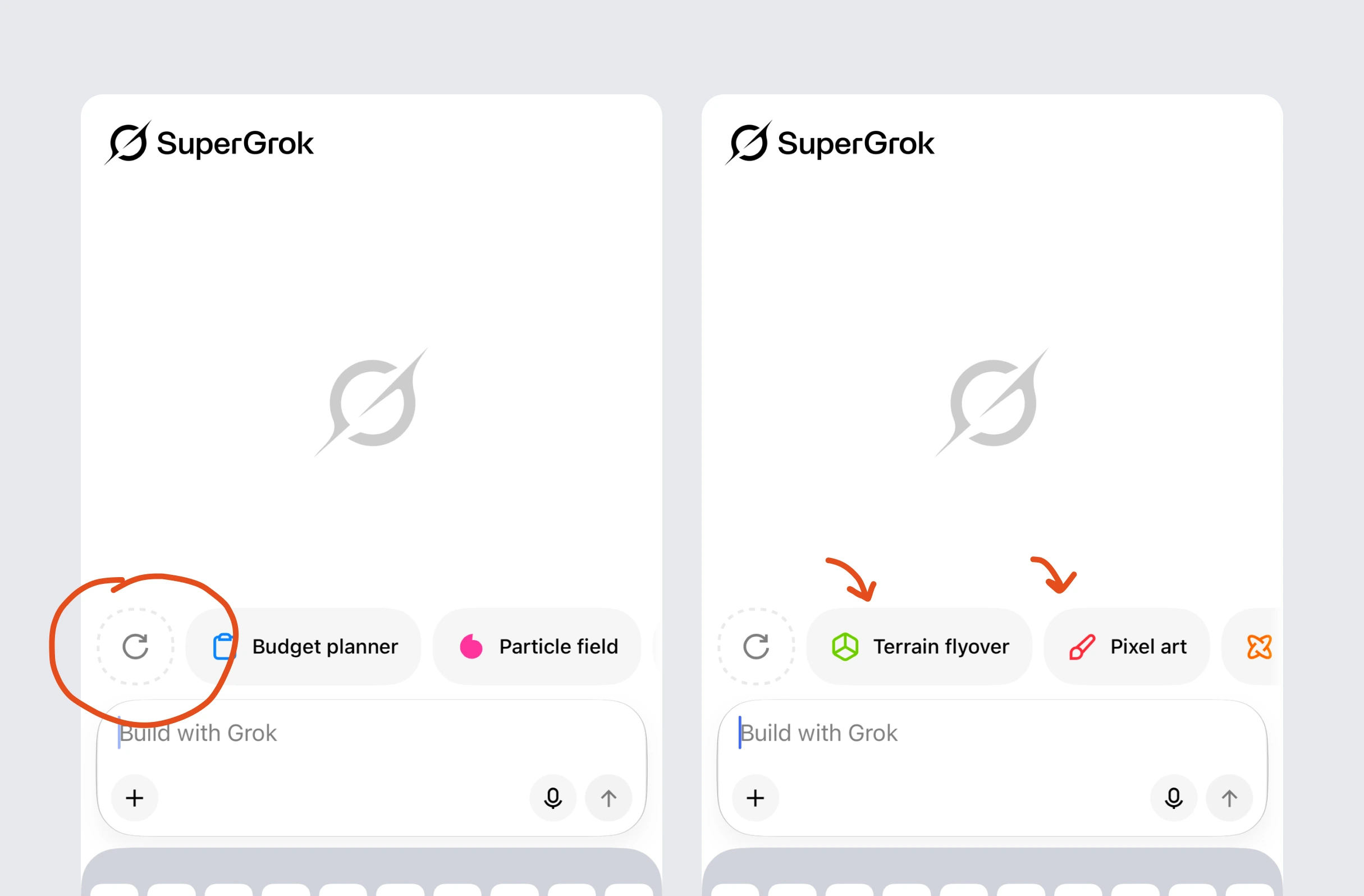
Refresh the suggested prompts
Grok will let you refresh the ‘suggested prompts’ in their toolbar.
Feature usage

The world's knowledge
Grok uses suggested prompts to show what its AI can do, with UX Bites including refreshable onboarding prompts and contextual follow-ups after image creation.
Key takeaways from 1 Case Study and 2 UX Bites
Grok lets users refresh the suggested prompts in its onboarding toolbar.
After image creation, Grok suggests follow-on prompts that modify the original.
The case study shows why pointing at an AI feature isn't enough for creative input.
Often uses:
Grok will let you refresh the ‘suggested prompts’ in their toolbar.
Subscribe to unlock this example
If features can be coded in minutes, thoughtful design is what wins
Get the free content when it's released, straight to your inbox, no account required
"An exceptional resource for learning how to build habit-forming products that people love."

"I’d never met anybody who looks at usability and UX the way I do until I met Peter. Only he’s smarter."
"The completest view of the psychological underpinnings of human behaviour that I’ve ever seen."

"What a nice idea! Christopher Alexander would be proud to see patterns collected like this."